 DomoAI
Load the keyframes in order
Upload the panels in the order they should play. Matching sizes and consistent lighting between frames keeps the interpolation stable.
Frames to video connects the dots between your keyframes. Drop in 2 to 8 images - storyboard panels, manga pages, rough sketches, or stills pulled from a shoot - and the model fills the movement between each pair, keeping one camera move and one art style across the whole sequence.
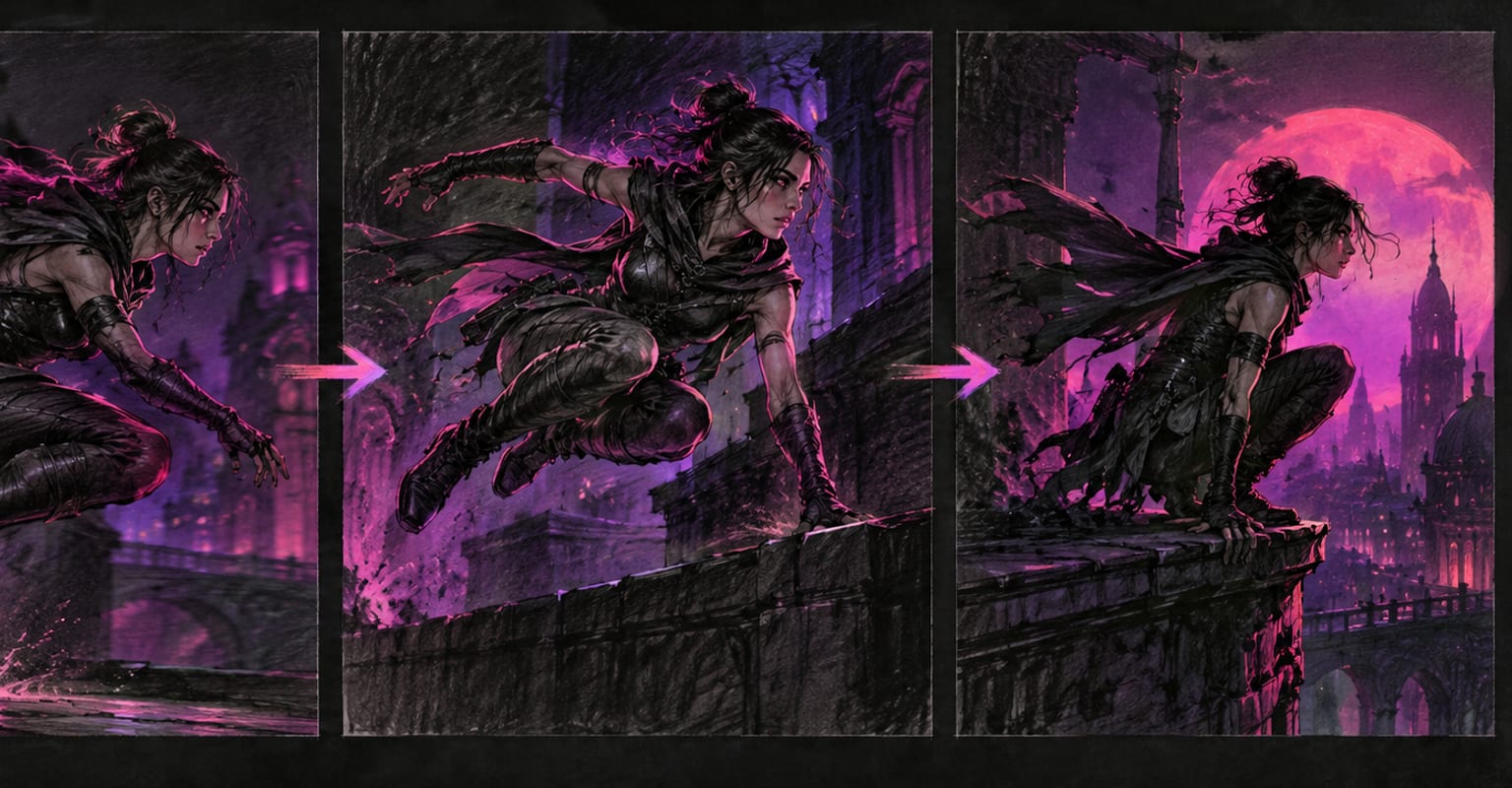
Every DomoAI workflow starts from a prompt and an optional reference file. Nothing has to be rebuilt by hand.
Upload the panels in the order they should play. Matching sizes and consistent lighting between frames keeps the interpolation stable.
Add a prompt that covers the whole sequence - subject, style, camera - so every in-between frame follows the same direction.
Generate the shot, play it back frame by frame, and swap a keyframe or two if a transition reads wrong. Rebuild only the segment that changed.
DomoAI workflows differ by the material you already have. Pick the one that matches it.
| Workflow | What you provide | Good for |
|---|---|---|
| Frames to video | 2-8 keyframes | Storyboards, manga transitions, and controlled camera paths |
| Text to video | A written prompt | Starting from nothing instead of from panels you already drew |
| Image to video | One still image | A single beat of motion from one frame |
| Video to video | Footage plus a style reference | Restyling a finished edit rather than building motion from stills |
Answers about inputs, limits, resolution, and how credits are used.
Between 2 and 8 frames per generation. Two frames make a clean A-to-B move; past four or five, keep the drawings tight and consistent so the model is not guessing between very different compositions.
Storyboard panels, comic or manga pages, thumbnail sketches, and rendered stills all work. Keep the art style consistent across frames - a colour panel between two pencils makes the in-betweens wobble.
Yes. Frames are respected in the order you upload them, so swapping one panel and re-rendering rebuilds only that segment of the sequence.
Length scales with the number of frames and the pacing you choose; a four-frame sequence usually lands between 5 and 15 seconds. Longer sequences are built by chaining two generations with a matching style prompt.
Every new account starts with 100 welcome credits, valid for 30 days, so you can test this workflow before choosing a plan.